Why You Need a Dedicated Event Graphic Design Tool
Generic design tools like Canva and Adobe Express are excellent for individual design projects. As an event graphic design tool for attendee-shared content at scale, they fail. The requirements are fundamentally different: you need brand-locked templates, zero-friction attendee experience, built-in caption management, LinkedIn optimization, and performance analytics.
A dedicated event graphic design tool solves these requirements in one integrated platform. Instead of cobbling together Canva templates, shared folders, caption documents, and manual tracking, a purpose-built event graphic design tool handles the entire workflow.
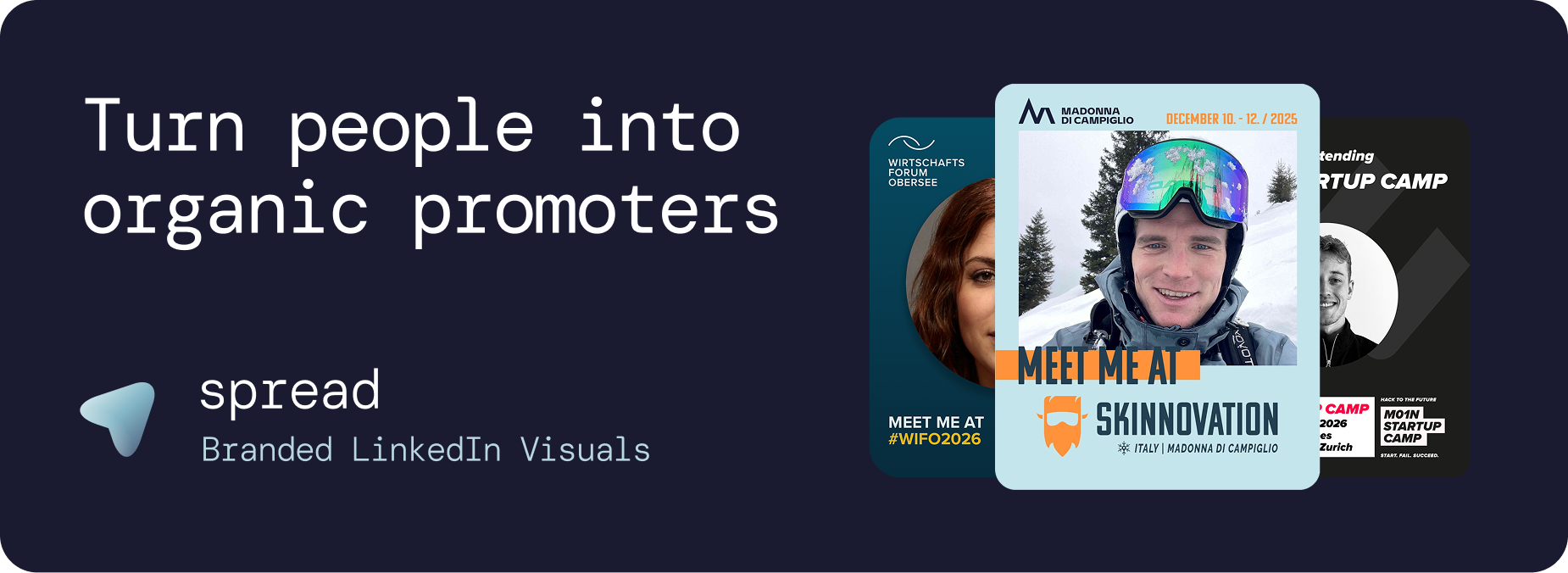
What Makes a Good Event Graphic Design Tool
Template Creation
A good event graphic design tool provides a visual builder for creating branded templates. Upload logos, set colors, define photo areas, add text elements, and configure role badges. No design skills should be required. The event graphic design tool should make professional template creation accessible to any event organizer.
Brand Control
The event graphic design tool must lock templates so attendees can only add their photo. If attendees can change fonts, colors, or layouts, brand consistency dissolves. This is the critical difference between a dedicated event graphic design tool and generic platforms.
Zero-Friction Personalization
Attendees using the event graphic design tool should not need an account, app, or design skills. Click a link, upload a photo, download the graphic. Under 30 seconds. Any additional friction kills adoption.
Caption Management
The event graphic design tool must include pre-written LinkedIn captions with one-click copy. Captions are the biggest driver of share rates. Without them, attendees download but never post.
Analytics
The event graphic design tool must track downloads, template performance, daily trends, and estimated impressions. This data proves ROI and optimizes future campaigns.
Go Spread: The Leading Event Graphic Design Tool
Go Spread is the market-leading event graphic design tool, trusted by Skinnovation, WIFO, SICTIC Forum, Entra, the Operator Circle, ChefTreff, and Global Talent Summit.
Event Graphic Design Tool Features
Visual template builder: Drag-and-drop interface for creating branded templates
Auto branding: Extract logo and colors from your event website
Brand-locked templates: Every graphic stays on-brand
Dual creation modes: Quick Mode (SVG-based) and Transparent PNG Mode (overlay-based)
Role badges: Attendee, Speaker, Sponsor, VIP, Mentor, custom
Pre-written captions: One-click copy LinkedIn captions
LinkedIn-optimized: 1080x1350px (4:5 ratio) default
Mobile-first: Optimized for smartphones
No account needed: Zero friction for attendees
Analytics dashboard: Downloads, performance, trends, impressions
LinkedIn direct posting: Share directly to LinkedIn
Using the Event Graphic Design Tool (Under 10 Minutes)
Create event and upload branding (or auto-extract from website)
Design templates with the visual builder
Configure photo area and role badges
Write 3 to 5 LinkedIn captions
Publish and share one link
Event Graphic Design Tool: Go Spread vs. Canva
Feature | Go Spread | Canva |
|---|---|---|
Purpose | Built as event graphic design tool | General design tool |
Brand control | Templates locked | Users edit freely |
Account needed | No | Yes |
Captions | Built-in, one-click | Not available |
Analytics | Real-time dashboard | None |
Setup time | 10 minutes | Hours |
Mobile | Optimized | Generic |
LinkedIn format | 4:5 default | Manual sizing |
Auto branding | Yes | No |
Event Graphic Design Tool vs. Custom Development
Building a custom event graphic design tool costs €5,000 to €20,000 and takes weeks. You get a static solution requiring ongoing maintenance. Go Spread provides a more feature-rich event graphic design tool at a fraction of the cost, with continuous updates included.
Use Cases for an Event Graphic Design Tool
Conference Organizers
The primary users of an event graphic design tool. Create templates for hundreds of attendees to personalize and share.
Corporate Event Managers
Use the event graphic design tool for internal events, leadership summits, and team off-sites.
Community Managers
Use the event graphic design tool to create branded graphics for community events and meetups.
Marketing Agencies
Agencies managing events for clients use the event graphic design tool to deliver branded attendee graphic campaigns.
Measuring Event Graphic Design Tool ROI
Go Spread analytics:
Total and unique downloads
Template performance comparison
Daily trends
Conversion rates
Estimated LinkedIn impressions
Get Started with the Best Event Graphic Design Tool
Try the leading event graphic design tool at go-spread.com. Free tier available.
Contact Go Spread for enterprise solutions.