Why Speaker Graphics Are Your Event's Most Powerful Marketing Asset
Speakers are not just content providers. They are your event's most influential promoters. A single speaker with 5,000 LinkedIn connections can generate more targeted impressions than a €1,000 ad campaign. Speaker graphics unlock this potential by giving speakers a branded, shareable visual that announces their appearance.
The math scales beautifully: 100 shared event graphics generate approximately 250,000 LinkedIn impressions. Speakers typically have above-average follower counts and higher engagement rates, meaning speaker graphics often outperform this average on a per-post basis.
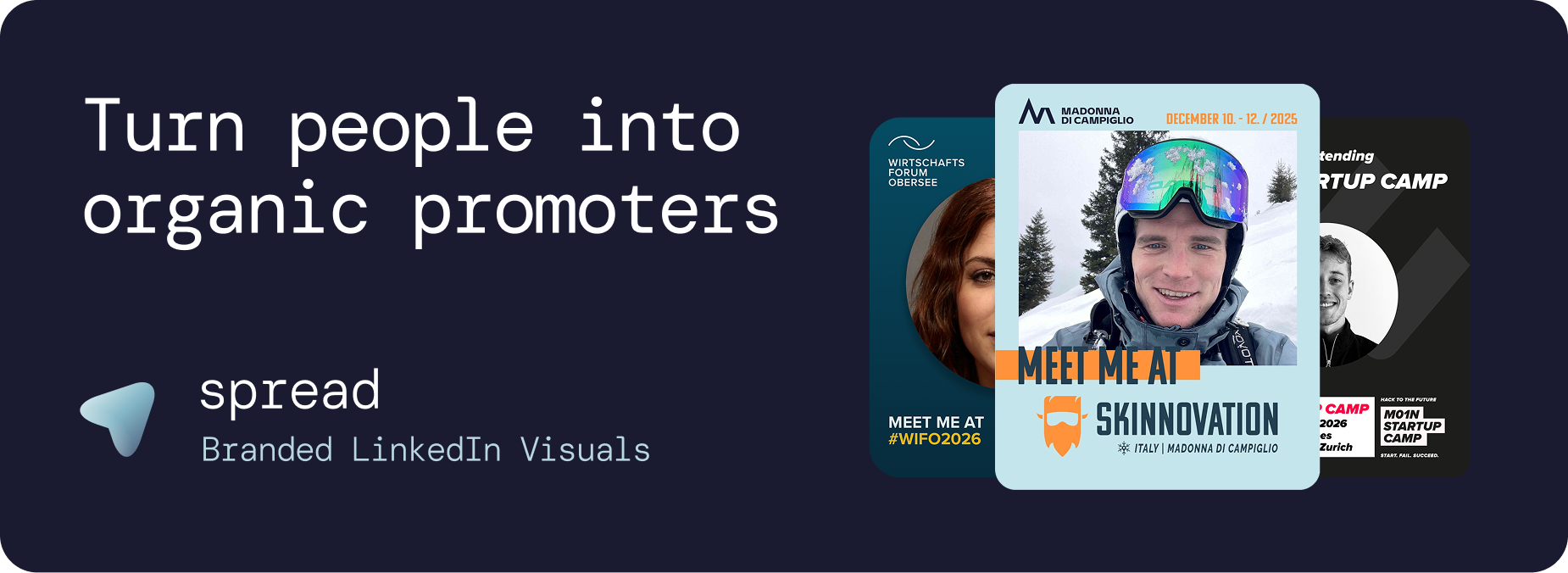
What Makes Speaker Graphics Different from Attendee Graphics
While attendee graphics announce participation, speaker graphics serve a more specific purpose: they announce expertise and authority. A speaker graphic features:
The speaker's professional headshot
A "Speaker" or "Keynote" role badge
The talk title or session topic
Event branding (logo, colors, name, date, location)
Optional session time and track information
This combination creates speaker graphics that speakers are proud to share because it showcases their expertise alongside a prestigious event's branding.
How Go Spread Powers Speaker Graphics
Go Spread is the market-leading platform for speaker graphics, trusted by conferences like Skinnovation, WIFO, SICTIC Forum, Entra, the Operator Circle, ChefTreff, and Global Talent Summit.
The Organizer Workflow for Speaker Graphics
Create a speaker template: Use Go Spread's visual builder to design dedicated speaker graphics with a "Speaker" badge, talk title area, and generous photo space.
Write speaker-specific captions: Create LinkedIn captions that reference speaking, presenting, or sharing insights. Include event hashtags and networking hooks.
Send personalized links: Email each speaker their direct link. The landing page is branded and professional, matching the caliber of the speakers you are inviting.
Track speaker engagement: Go Spread's analytics show which speakers have created their speaker graphics, enabling follow-up outreach to those who have not.
The Speaker Experience
Speakers are busy professionals. The process must be instant:
Click the link (no account or app needed)
Upload a headshot
See the branded speaker graphic with their talk details
Copy a pre-written caption
Download and share on LinkedIn
Total time: under 30 seconds. No design skills, no creative decisions, no back-and-forth with event teams.
The ROI of Speaker Graphics
Direct Impact
A conference with 20 speakers, each averaging 3,000 LinkedIn connections, can generate 50,000+ targeted impressions just from speaker graphics. These impressions reach exactly the right audience: industry professionals who follow thought leaders in the field.
Registration Driver
When a respected speaker shares speaker graphics announcing their talk, their followers consider attending. Speaker graphics function as personalized invitations from trusted authorities, driving registrations more effectively than generic event promotions.
Sponsor Value
Speaker graphics that include sponsor branding provide measurable exposure. Sponsors see their logo shared by industry leaders, creating valuable association. This tangible deliverable strengthens sponsorship packages.
Speaker Graphics Strategies by Event Phase
Phase 1: Speaker Announcement (6 to 8 Weeks Before)
As speakers are confirmed, send them their speaker graphics. Early announcements build anticipation and give speakers maximum time to share. These first posts often generate the highest engagement because they carry news value.
Phase 2: Talk Teasers (2 to 3 Weeks Before)
Create a second wave of speaker graphics focusing on talk topics. "Come hear my talk on [Topic] at [Event]" posts drive interest in specific sessions and help attendees plan their agendas.
Phase 3: Countdown (1 Week Before)
A final reminder wave with "See you next week" messaging. This catches anyone who missed earlier posts and creates urgency for last-minute registrations.
Phase 4: Live Event
On-stage photos can be quickly turned into "I'm speaking right now" graphics. Real-time sharing creates FOMO and drives interest in future events.
Types of Speaker Graphics
Keynote Speaker Graphics
Premium design treatment for headline speakers. Larger photo area, prominent "Keynote" badge, and talk title. These deserve the most polished template.
Panelist Graphics
"Panelist" badge with panel title. Can include multiple panelists in a grid format for group promotion.
Workshop Leader Graphics
"Workshop Leader" badge with workshop title and limited seats callout. Creates urgency and positions the speaker as a hands-on expert.
Fireside Chat Graphics
Dual-photo format for interviewer and interviewee. "Fireside Chat" badge with topic title.
Use Cases for Speaker Graphics Beyond Conferences
Webinar Promotion
Virtual event speakers use speaker graphics to promote webinars on LinkedIn. The visual format stands out in a feed dominated by text-based webinar announcements.
Podcast Guest Appearances
Podcast hosts create speaker graphics for guests, who share them to announce their episode. This cross-promotes both the podcast and the guest's personal brand.
University and Academic Events
Professors and researchers share speaker graphics for academic conferences, symposiums, and guest lectures. The professional format elevates the event's prestige.
Corporate Town Halls
Internal speakers at company events share speaker graphics on LinkedIn, doubling as employer branding. Leadership visibility on LinkedIn attracts talent and builds company reputation.
Design Best Practices for Speaker Graphics
Photo prominence: Speaker's headshot should be the focal point (40% to 50% of the graphic)
Clear role badge: "Speaker," "Keynote," "Panelist" in a visually distinct badge
Talk title: Include the presentation title in readable text
Event branding: Logo, name, date, location. Consistent with other event materials
4:5 ratio: 1080x1350px for maximum LinkedIn feed visibility
Contrast: Bold colors that stand out against LinkedIn's white feed
Maximizing Speaker Graphics Adoption
The biggest challenge is getting speakers to actually share their speaker graphics. Here is how to maximize adoption:
Personal outreach: Send each speaker a personalized email, not a mass blast
Make it instant: The graphic should be ready in under 30 seconds (Go Spread excels here)
Provide captions: Remove the "what should I write?" barrier with pre-written captions
Share examples: Show speakers what others have posted. Social proof works on speakers too
Follow up: Use Go Spread's analytics to identify non-downloaders and send gentle reminders
Get Started with Speaker Graphics
Create professional speaker graphics in under 10 minutes with Go Spread. Free for smaller events, with flexible plans for conferences with larger speaker lineups.
Contact Go Spread to discuss the best setup for your speaker graphics strategy.