The Strategic Role of Speaker Visuals for Events
Speaker visuals for events are more than promotional graphics. They are a strategic marketing tool that transforms your speaker lineup into a distributed promotion engine. When speakers share branded visuals on LinkedIn, they leverage their professional networks to create organic reach that no advertising budget can match.
Consider the math: a conference with 30 speakers, each averaging 2,500 LinkedIn connections, creates potential access to 75,000 unique professionals. With LinkedIn's organic distribution, a single shared visual can reach 2 to 5 times the speaker's direct connections. 100 shared posts generate approximately 250,000 impressions on average.
Why Speaker Visuals for Events Deserve Dedicated Attention
Speakers Are Your Highest-Value Promoters
Unlike general attendees, speakers have:
Larger LinkedIn networks (often 3,000 to 10,000+ connections)
Higher engagement rates on their posts
More authority and credibility in their field
Built-in motivation to promote their appearance
Speaker Visuals Drive Registrations
When an industry expert shares "I'm speaking at [Event] about [Topic]," their followers take notice. Speaker visuals for events are the most effective registration driver for professional events, outperforming email campaigns, social ads, and event listing sites.
Speaker Visuals Enhance Speaker Experience
Providing professional, ready-made speaker visuals for events shows speakers that you value their participation. It reduces their workload (no need to create their own graphic) and ensures they represent your event professionally. This attention to detail makes speakers more likely to return and recommend your event to peers.
Go Spread for Speaker Visuals for Events
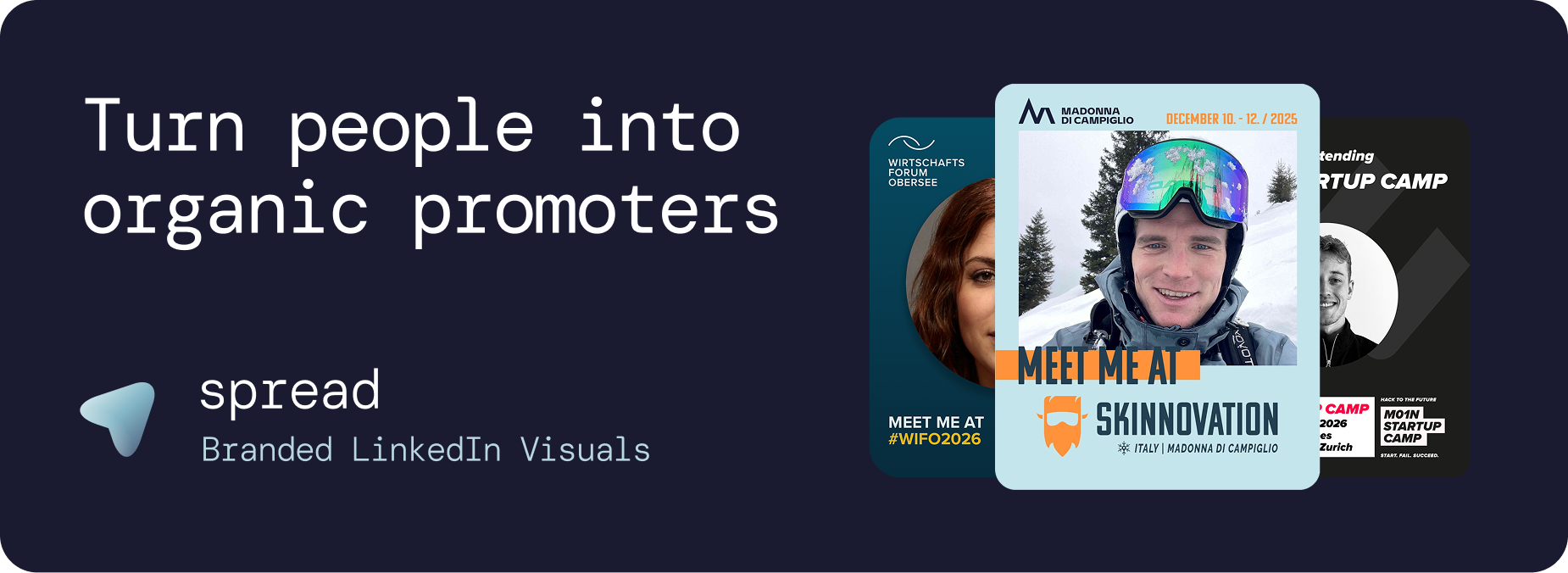
Go Spread is the platform that leading events trust for their speaker visuals. Conferences like Skinnovation, WIFO, SICTIC Forum, Entra, the Operator Circle, and ChefTreff all use Go Spread to power their speaker visual programs.
Features Built for Speaker Visuals
Role-specific templates: Create dedicated templates with "Speaker," "Keynote," or "Panelist" badges
Custom text fields: Include talk titles, session times, and track names
Multiple template variants: Different designs for keynotes, panels, workshops, and fireside chats
Speaker-specific captions: Pre-written LinkedIn captions tailored for speakers announcing their talks
Analytics per template: Track which speaker visuals get the most downloads
Brand-locked design: Speakers cannot break your branding. Every graphic stays on-brand
Zero-friction experience: No account, no app, no design skills. Click, upload, download
Setup in Under 10 Minutes
Upload your event branding, create speaker visual templates, write captions, and send links. The entire setup takes less time than sending one speaker outreach email.
A Complete Speaker Visuals Strategy for Events
Pre-Event Campaign (4 to 6 Weeks Before)
Send speaker visuals as soon as speakers are confirmed. Early announcements build anticipation and give speakers maximum sharing time. Create a phased rollout:
Week 6: Keynote speaker announcements
Week 4: Panel and workshop speakers
Week 2: Talk teasers with specific topics
Week 1: Countdown visuals
During the Event
Create live speaker visuals for events that speakers can share from stage or backstage. On-site photos combined with event branding create authentic, real-time content.
Post-Event Follow-Up
"Thank you for having me at [Event]" visuals extend the event's impact. Speakers share key takeaways alongside their graphic, keeping the conversation going for weeks after the event.
Use Cases for Speaker Visuals for Events
Industry Conferences
The primary use case. Large conferences with 20 to 100 speakers can generate massive organic reach through coordinated speaker visual campaigns.
Corporate Events
Internal speakers at company events, leadership summits, and innovation days share visuals on LinkedIn. This doubles as thought leadership and employer branding.
Academic Events
Professors, researchers, and PhD students share speaker visuals for academic conferences, elevating the event's prestige and reaching the academic community on LinkedIn.
Startup Demo Days
Founders presenting at demo days share speaker visuals to attract investors, partners, and press. The "I'm pitching at [Event]" visual signals momentum and credibility.
Webinars and Virtual Events
Even virtual events benefit from speaker visuals for events. A professional graphic announcing a webinar appearance stands out in the feed compared to text-only announcements.
Design Principles for Speaker Visuals
Visual Hierarchy
Speaker photo: The dominant element (40 to 50% of the graphic)
Role badge: Clear "Speaker" or "Keynote" designation
Talk title: What they are presenting about
Event branding: Logo, name, date, location
Format
1080x1350px (4:5 ratio) for maximum LinkedIn feed visibility
Bold colors that contrast with LinkedIn's white background
Clean typography that reads well on mobile
Sufficient whitespace to avoid visual clutter
Badge Variations for Speaker Visuals
Create distinct badge designs for different speaker roles:
Keynote Speaker
Panelist
Workshop Leader
Moderator
Fireside Chat Guest
Lightning Talk Presenter
Maximizing Speaker Visual Adoption Rates
Getting speakers to share is the critical success factor for speaker visuals for events. Best practices:
Personal communication: Send individual emails, not mass blasts. Address speakers by name and reference their talk
Make it instant: Go Spread's zero-friction workflow means speakers create graphics in under 30 seconds
Provide captions: Remove the "what should I write?" barrier completely
Show examples: Include screenshots of other speakers' posts. Social proof works
Time it right: Send on Tuesday or Wednesday morning when LinkedIn engagement peaks
Follow up once: Use Go Spread analytics to identify non-downloaders and send a gentle reminder
Measuring Speaker Visuals Impact
Go Spread's analytics provide clear data on your speaker visuals for events:
Downloads per speaker template
Total speaker visual downloads vs. attendee graphic downloads
Daily download trends
Estimated LinkedIn impressions from speaker shares
This data is valuable for speaker retention ("Your graphic was shared X times"), sponsor reporting, and planning future events.
Get Started with Speaker Visuals for Events
Create professional speaker visuals at go-spread.com. Free tier available for smaller events, flexible plans for conferences with larger speaker programs.
Contact Go Spread to find the most fitting setup for your speaker visual strategy.