Why Virtual Event Graphics Are Essential for Online Events
Virtual events face a fundamental engagement challenge: without the physical experience, attendees feel less connected and less motivated to promote the event. Virtual event graphics solve this by giving online attendees a tangible, shareable artifact that signals their participation. When virtual attendees share virtual event graphics on LinkedIn, they create the same organic reach as in-person event graphics.
The math does not change for virtual events: 100 attendees sharing virtual event graphics generate approximately 250,000 impressions on LinkedIn. Whether they attend from a conference hall or their home office, the LinkedIn impact of virtual event graphics is identical.
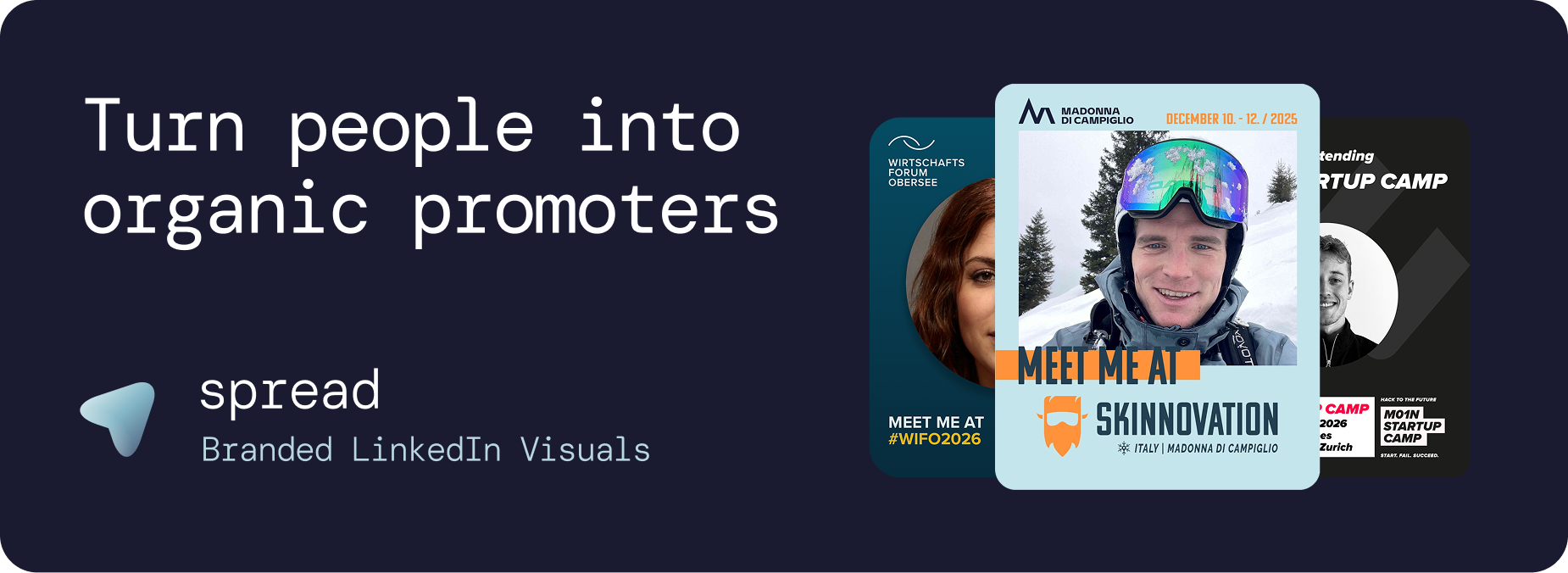
The Virtual Event Engagement Problem That Virtual Event Graphics Solve
Lower Perceived Commitment
Virtual attendees often feel less "committed" to an event than in-person attendees. Virtual event graphics give them a way to publicly commit, which actually increases their engagement with the event content.
Missing Community Feel
Virtual events lack the buzz of a physical gathering. When attendees see others sharing virtual event graphics on LinkedIn, it creates a sense of community and shared experience that bridges the physical gap.
Reduced Organic Promotion
In-person attendees naturally create content (photos, stories, check-ins). Virtual attendees do not. Virtual event graphics provide the content creation mechanism that virtual events otherwise lack.
Sponsor Visibility Gap
Without physical booths and banners, sponsors get less visibility at virtual events. Virtual event graphics with sponsor branding provide measurable LinkedIn exposure that extends beyond the event platform.
Types of Virtual Event Graphics
Pre-Event Virtual Event Graphics
"I'm joining [Event] online" virtual event graphics shared 2 to 4 weeks before. These create pre-event buzz and drive additional registrations.
Speaker Virtual Event Graphics
"I'm presenting at [Event]" virtual event graphics with talk titles. Speakers generate the highest per-post reach.
Attendee Virtual Event Graphics
Standard "I'm attending" virtual event graphics. The most common variant that drives the highest total volume of shares.
Sponsor Virtual Event Graphics
Co-branded virtual event graphics with sponsor logos. Provides measurable sponsor visibility for virtual event sponsors.
Post-Event Virtual Event Graphics
"I attended [Event]" virtual event graphics with key takeaways. Extends the event's lifecycle and captures attendees who did not share pre-event.
Go Spread: The Platform for Virtual Event Graphics
Go Spread creates virtual event graphics with the same ease as in-person event graphics. All features work identically for virtual events.
Virtual Event Graphics Features
Brand-locked templates: Every virtual event graphic stays on-brand
Zero friction: No account needed. Works on any device.
Pre-written captions: LinkedIn captions tailored for virtual attendance
Role badges: Attendee, Speaker, Sponsor, VIP, and custom designations
Auto branding: Extract logo and colors from your event website
LinkedIn-optimized: 1080x1350px (4:5 ratio)
Mobile-first: Fully optimized for smartphones
Analytics: Track virtual event graphics performance
Virtual Event Graphics for Different Online Formats
Virtual Conferences
Multi-day online conferences benefit most from virtual event graphics. Multiple sessions, speakers, and tracks provide rich content for virtual event graphics campaigns.
Webinars
Even single-session webinars benefit from virtual event graphics. 30 attendees sharing generates approximately 75,000 impressions in a targeted niche.
Hybrid Events
The same virtual event graphics templates work for both in-person and virtual attendees. This creates unified visual identity regardless of attendance mode. Hybrid event organizers can use the same Go Spread link for all attendees.
Online Workshops
"Participant" virtual event graphics for workshops signal professional development investment. Highly shareable among career-focused professionals.
Virtual Summits
Multi-speaker virtual summits generate significant organic reach through speaker and attendee virtual event graphics shared across diverse professional networks.
Virtual Event Graphics Design Best Practices
Same dimensions as in-person: 1080x1350px (4:5 ratio)
Bold colors for LinkedIn feed visibility
Generous photo area (40 to 50%)
Clear event name, date, and "Online" or "Virtual" designation
Role badges appropriate for virtual context
Virtual Event Graphics Caption Strategy
Captions for virtual event graphics should reference the online format positively:
"Joining [Event] from my home office. The beauty of virtual: world-class content, zero travel."
"Excited to be part of [Event] online. Who else is tuning in?"
"Location: anywhere with WiFi. Event: [Event]. See you online!"
Measuring Virtual Event Graphics Impact
Go Spread analytics for virtual event graphics:
Total and unique downloads
Template performance comparison
Estimated LinkedIn impressions
Daily trends
Conversion rates
Get Started with Virtual Event Graphics
Create virtual event graphics at go-spread.com. Free tier available.
Contact Go Spread for enterprise virtual event graphics solutions.