Event social media campaigns that sell tickets run in four waves: the announcement, the speaker reveal, the attendee countdown and the live-and-after stretch. Each wave has its own job and its own main voice, which is why a generic calendar that says "post three times a week" rarely moves registrations.
The plan below is built for B2B conferences, summits and trade events with a 10-week runway, and it leans on LinkedIn because that's where most B2B buyers spend their professional scrolling time. If your event is smaller or your runway shorter, squeeze the waves together. Don't skip one.
Why event social media campaigns work better in waves
Waves work because each one hands the microphone to a bigger group of people. Your company page has a few thousand followers, at best. Your speakers have more between them. And your attendees, taken together, are connected to almost everyone you'd want in the room next time.
So the campaign starts narrow (you, announcing) and gets wider with every wave, until in the last two weeks most of the posts about your event come from people who aren't on your payroll. That shift matters, because a post from a peer who says "I'm going" carries a kind of trust that a branded post with a countdown sticker can't buy.
Waves also make planning easier. Instead of filling a calendar with 40 loose posts, you plan four moments, each with a clear trigger and a clear ask. A rough split for a 10-week runway: weeks 10 to 8 for the announcement, 6 to 3 for speakers, the last three for the countdown, and the event week plus the following ten days for the live wave. The gaps in between aren't dead time. They're where you answer questions, post practical details and reshare whatever your community has already posted.
Wave 1, the announcement: give people a date and a reason
The announcement wave, about 8 to 10 weeks out, tells people the date, the city and why this edition is worth a day away from their desk. It's the one wave where your own channels do most of the work, so make the post count.
Lead with the reason, not the logo. "400 heads of finance, one day in Zurich, no vendor pitches on the main stage" says more than "Save the date!" over a stock photo of a lanyard. (That example is hypothetical, but you get the idea.) Pin the post on your company page, ask the founders or the program lead to post it from their personal profiles too, and put the early-bird deadline in the first two lines so it shows before the "see more" cut.
This is also the moment to set up everything the later waves need: speaker graphic templates, the attendee share page, the caption library. If you wait until wave three to design the attendee graphic, you'll be designing it during the busiest weeks of the year.
Decide on your event hashtag and the exact event name people should tag now, too. It sounds trivial. But if speakers tag three different spellings of the event, the posts never connect to each other, and nobody browsing the tag sees how many people are going.
Wave 2, the speaker reveal: let speakers promote the event on social media
The speaker wave, roughly six to three weeks out, works when each speaker posts about their own session, not when you post about them. Your post reaches your followers. Their post reaches everyone who follows them, which for a well-known speaker can be a much bigger and much warmer crowd.
Make it easy. Speakers are busy and most won't design anything themselves, so send each one a ready graphic with their photo, name, session title and your branding, plus a caption they can edit. In Go Spread that's the Speaker graphic type: you design one template, share one link, and each speaker uploads a photo and posts to LinkedIn in about 30 seconds. Our guide to speaker visuals for events covers the ask and the follow-up.
A speaker reveal cadence that doesn't wear people out
- Two or three speaker reveals per week from your page, never all of them in one go.
- Each reveal goes live the same morning the speaker gets their graphic, so they can comment and reshare while it's fresh.
- Headliners first, then the sessions that sell a specific audience (the CFO panel, the hands-on workshop).
- A final "full lineup" post at the end of the wave, tagging everyone.
If you need help with the design side, the speaker announcement template guide walks through layouts that read well at feed size.
Wave 3, the countdown: attendees take over the event social media strategy
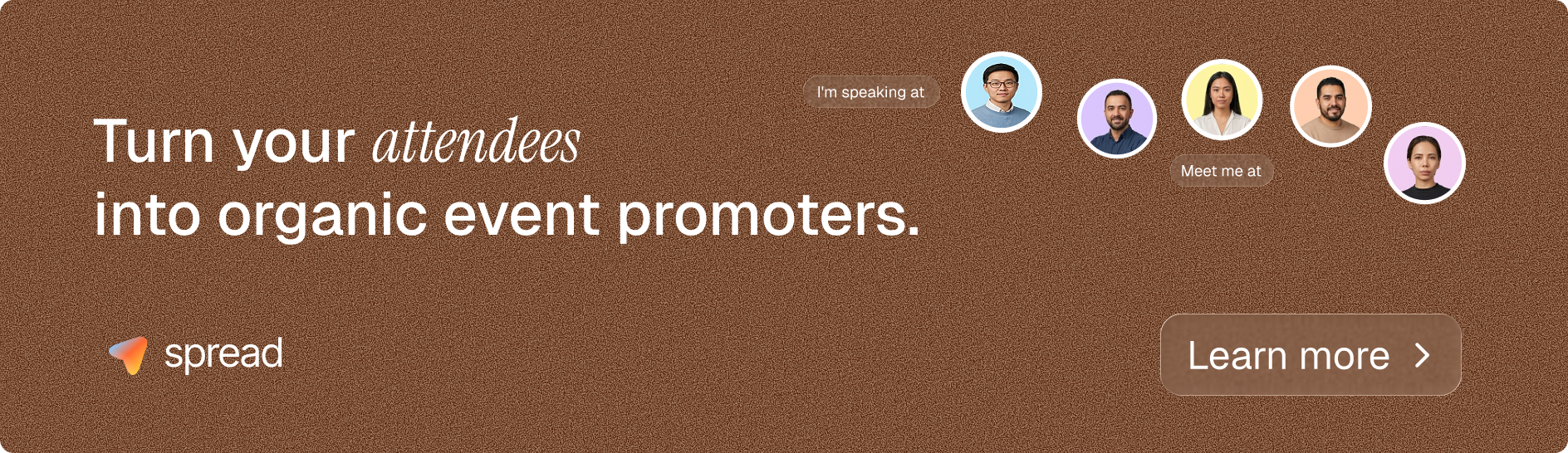
In the last three weeks, your attendees should be doing most of the posting. They've bought a ticket, they're starting to plan their week, and a "Meet me at" post is a natural way to tell their network they'll be there (and to set up a coffee or two).
The trigger is the ask, and the timing of the ask. Put the share link in the ticket confirmation email, when people are most excited, and send it again about five days before the event. Go Spread gives each attendee a personalized, branded graphic on a campaign page at go-spread.com/your-campaign, with suggested captions and one-click posting to LinkedIn, and there's no app or account for attendees to deal with. For M01N Startup Camp, attendees "turned LinkedIn red in just 1.5 weeks", with more than 250,000 impressions. The step-by-step setup is in our Meet Me At graphics guide.
Your own page shifts role here. It stops broadcasting and starts amplifying: resharing the best attendee posts, answering comments, posting the agenda and practical details. Timing helps a bit, too. Sprout Social's 2026 analysis of nearly 2 billion engagements across 307,000 social profiles found that Tuesday, Wednesday and Thursday offer the most consistent periods of peak engagement on LinkedIn, so schedule your big countdown posts mid-week rather than on a Friday afternoon.
Wave 4, live and after: event campaign ideas for the days that matter
The live wave is short and noisy, and that's fine. Its job is to show people who didn't come what they're missing, and to give everyone who did come material to post in the days after.
On the day, keep your own posts simple: a photo of the full room in the first hour, one or two quotes from the main stage, a short clip if you have someone filming. Don't try to live-post every session. And get a fast photo selection out by the next evening, because attendees who want to post a reflection need a decent picture of themselves to do it.
In the days after, swap the Meet Me At template for an "I was there" version and send the link again with the thank-you email. Reshare the best attendee posts, publish a recap mid-week, and thank sponsors publicly. Our piece on user-generated content at events has more on collecting and reusing what attendees post.
Which channel does what? A channel map for event social media campaigns
For B2B events, LinkedIn carries the campaign and the other channels support it. This map is a starting point, so adjust it to where your audience actually spends time.
| Channel | Main job | Strongest wave |
|---|---|---|
| LinkedIn (personal profiles) | Speaker and attendee posts that reach peer networks | Waves 2 to 4 |
| LinkedIn (company page) | Announcement, speaker reveals, reshares, practical info | Waves 1 and 2 |
| Instagram stories | Behind the scenes, live moments, 9:16 attendee graphics | Waves 3 and 4 |
| X | Live commentary for tech and developer audiences | Wave 4 |
| Trigger for every share ask, early-bird deadlines | All waves | |
| Community groups (Slack, WhatsApp) | Share links and reminders to people who already trust you | Waves 1 and 3 |
A note on Instagram and X: Go Spread posts directly to LinkedIn only. Attendees can download their graphic, including the 9:16 story version, and post it elsewhere themselves.
How to tell whether your event social media strategy is working
Judge the campaign by registrations and by how many people other than you posted. Likes on your company page are the least useful number you'll see, because they mostly come from people who already know you.
The numbers worth tracking each week:
- Registrations by source, using UTM-tagged links for every wave.
- The number of speakers and attendees who posted.
- Impressions on those posts (Go Spread's analytics show views, downloads and LinkedIn impressions for a campaign).
- Clicks from social posts to your registration page.
If wave two is quiet, it's usually because speakers never got a ready graphic or got it too late. If wave three is quiet, check whether the share link was in the confirmation email at all. Compare your event social media campaigns against your own previous editions rather than against someone else's event: going from 40 attendee posts to 120 is a clear signal, even without an industry benchmark. For a wider view on reach, see how 100 shares can generate 250,000 views.
Plan your event social media campaigns this week
The fastest way to start is to put the four waves in your calendar today, with one date and one owner each, and then build the assets for waves two and three before the announcement goes out. If you only do one thing this week, set up the attendee share page and add its link to your ticket confirmation email. You can try that for free on Go Spread and have it running before your first speaker is announced.