




Employee advocacy means your own people sharing posts about your company on their personal profiles, mostly on LinkedIn, because their networks are bigger and warmer than your company page's followers. It works best when posting is easy, voluntary and tied to moments employees already care about, and in our view events are the easiest of those moments to start with.
When programs stall, it's rarely because employees refuse. Usually the ask is vague ("please share our posts more"), the content is a press release, and nobody has the 20 minutes it takes to turn it into something they'd put their own name on. This guide covers how to set a program up, what to ask people to post, and why the week before a conference is the best place to begin.
What is employee advocacy, and why does it reach further than your company page?
It reaches further because there are simply more people on the other end. According to LinkedIn's own Elevate infographic, a company's employees have on average 10x as many connections as the company has followers, and employees see a 2x higher click-through rate than their company when sharing the same content.
The same LinkedIn material says only 3% of employees share content about their company, yet that small group drives a 30% increase in the total engagement a company sees. So there's a big gap between the people who could post and the people who do. Closing even part of it moves the numbers.
And there's a softer reason. People trust people. A post from your head of product saying "I'll be on stage in Berlin on Thursday talking about what broke when we scaled to 40 markets" gets read as a person with something to say, which is a very different thing from a logo announcing a webinar.
How to build an employee advocacy program people actually join
Keep the first version small and make posting fast. Which tool you use matters much less than that in the first three months, because a program with ten keen people will outlast one with two hundred reluctant ones.
Start with a handful of volunteers
Pick five to ten people who already post now and then, or who'd like to. Sales and customer success are obvious candidates (they benefit directly from a visible profile), but engineers and designers often get the best engagement because their posts are specific. Ask them what they'd want to share, and don't hand them a quota. A mandatory program produces exactly the kind of copy-paste posts that make everyone's feed worse, and people notice when a colleague is posting under orders.
Once the first group has posted a few times and seen some replies, others ask to join. That's a much better recruiting drive than an all-hands email from marketing.
Make posting take under a minute
Every extra step loses people. If someone has to find a logo, crop a photo and write a caption from scratch, they'll put it off until the moment has passed. For each post you want, prepare these in advance:
- A visual that already carries their name or photo, so it looks like their post and not a reshare.
- Two or three caption options in different tones, written to be edited (with a clear spot for their own sentence).
- The link, the hashtag and the accounts to tag.
- A short note on timing, such as "post Tuesday morning, before the event opens on Thursday."
That kit takes a marketer an hour to build once. It saves every participant twenty minutes, and it's the difference between 3 posts and 30.
Why events are the easiest moment for employee advocacy
Events give people a reason to post that has nothing to do with selling. "I'm speaking", "come find us at booth C4" or "I'll be in Lisbon next week, who else is going?" are things people want to say anyway, so the company doesn't have to invent a story. There's also a clear date, which creates natural urgency (a post about an event next Thursday has to go out this week or not at all).
Events also come with ready-made audiences. Everyone attending the same conference is searching the hashtag and checking who else is going, so an employee's post reaches people who are already in buying mode for that topic, while also reaching their regular network at home.
Event moments employees will happily post about
We'd look at these first, roughly in order of how willing people usually are to share:
- Speaking at a conference or joining a panel, ideally with a speaker graphic that has their photo and session time.
- Staffing a booth, with a "Visit us at" graphic that shows hall, booth number and their face.
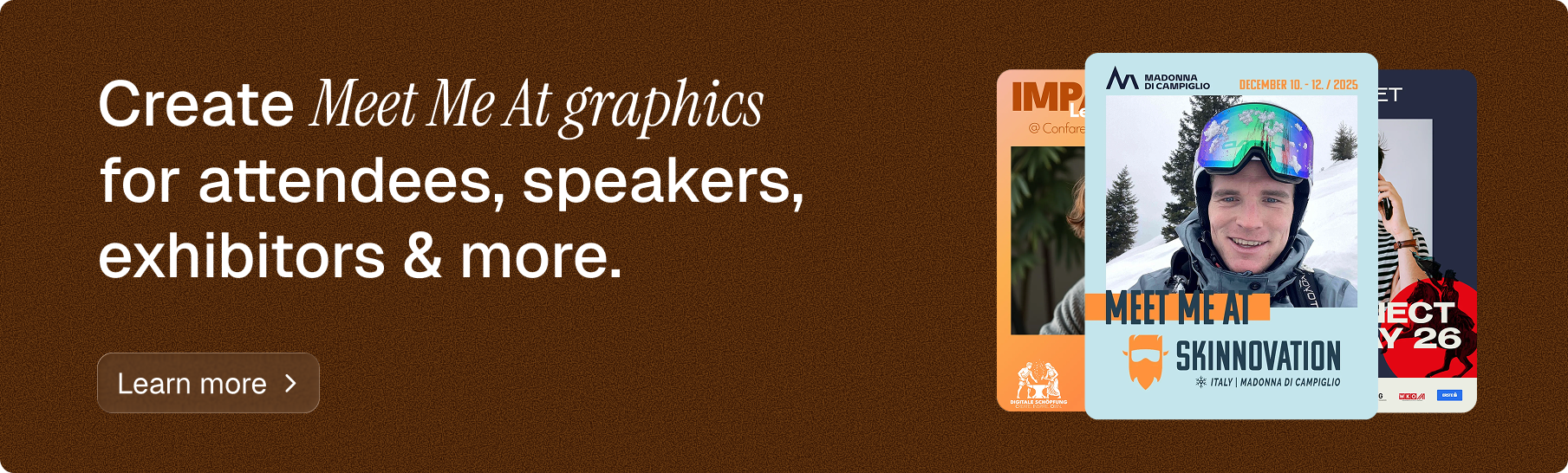
- Attending a big industry event as a guest, which fits the classic "Meet me at" format.
- Hosting your own customer event or meetup, where every team member is a co-host.
- A first week at a new job, which is technically an internal moment but fits the same pattern.
That last one deserves a note: we wrote a separate piece on employer branding graphics for new hires, because onboarding posts are among the easiest wins for HR teams.
Go Spread was built for this kind of moment. You design one branded template for an event (Speaker, Meet Me At, Visit Us or Partner), share one link with your team, and each person adds their photo and gets a personalized graphic plus suggested captions. They can post to LinkedIn in one click, with no account and no design work. It won't replace a full employee advocacy platform with content libraries and approval workflows, and it isn't meant to. It covers the event moments, which in many companies are where most voluntary posting happens anyway.
Employee advocacy examples you can copy
These are openly hypothetical, but each one follows a pattern that's easy to run in a real company.
Say you're a 60-person software company exhibiting at a trade show in Amsterdam. Four weeks out, the eight people staffing the booth each get a "Visit us at booth C4" graphic with their photo. Five of them post. Your sales lead's post gets tagged by two customers who'll also be there, and three prospects message her to book a time. None of that would have happened from a company page post alone.
Or say your CTO is speaking at a developer conference. Instead of the company announcing "Our CTO will speak at...", the CTO posts a speaker graphic with a two-line caption about the one mistake her talk covers. Colleagues comment, and the conference reshares it. Our guide on getting speakers and attendees sharing on LinkedIn has more on wording.
A third, smaller one: you host a 40-person customer breakfast. Every employee who attends gets a "Meet me at" graphic two weeks before. Half the room hears about the breakfast from someone they know.
Employee advocacy best practices that keep people posting
The best practice that matters most is respecting people's names. Employees are lending you their reputation, so the content has to be something they'd stand behind without the logo, and they need the freedom to rewrite it.
Beyond that, a few habits separate programs that last from ones that fade after a quarter. Thank people publicly (a shout-out in the team channel goes a long way). Share results back with them: if a post brought in a meeting, tell the person who wrote it. Keep the frequency humane, because one good post a month beats four reshares nobody reads. And rotate the topics so it isn't always a product launch, since people get tired of being a sales channel quickly.
Write social media guidelines without the legal tone
You do need a short policy: what's confidential, how to disclose that you work at the company, what to do if someone replies with a complaint. Keep it to a page, write it like a colleague would explain it, and send it before the first campaign goes out. Long legal documents make cautious people decide that the safest choice is to post nothing.
How do you measure an employee advocacy program?
Count three things at first: how many people posted, how many impressions and reactions those posts got, and what happened next (meetings booked, booth visits, registrations from a tracked link). The first number tells you whether the program is alive. The other two tell you whether it's worth expanding.
For event campaigns, a dedicated link per event makes this much easier. Go Spread shows views, downloads and LinkedIn impressions per campaign, so you can see how many people actually created a graphic and how far the posts traveled. For a sense of scale, Go Spread's first 20 campaigns averaged about 100 posts and around 250,000 impressions each, which works out to roughly 2,500 impressions per post. Treat that as a rough reference point, because your numbers depend on who posts and how big their networks are. If you're building the business case, our guide on event marketing ROI shows how to put those numbers next to your costs.
Start your employee advocacy program with the next event on your calendar
The simplest way into employee advocacy is to skip the big launch and pick one upcoming event where at least five colleagues are speaking, staffing a booth or attending. Build one branded graphic, write two caption options, and send the link about two weeks before the event with a short, personal ask. You can set that up for free on Go Spread today, then look at who posted and what it brought in before you plan the next one.