



An event marketing plan template gives you one page with the goal, the audience, the channels, a week-by-week timeline, the budget and the numbers you'll check. The version below covers 10 weeks for a B2B conference or summit, and you can copy it straight into a doc or your project tool and replace the example numbers with your own.
A word on what's missing. You won't find industry benchmarks for cost per registration or conversion rates here, because the published ones vary so much by audience and ticket price that they tend to mislead more than they help. The budget formula further down runs on your own numbers instead, which is less exciting and a lot more useful when you have to defend the budget to someone.
What goes into an event marketing plan template?
Seven sections, and none of them should take more than half a page. If your plan runs to twenty pages, nobody on the team will open it after week two.
- Goal: one number and a date, such as 400 checked-in attendees on June 12.
- Audience: who you want in the room, by role and industry, and where they already spend time.
- Message: the one-sentence reason this edition is worth a day out of the office.
- Channels: the four or five you'll actually use, with a job for each.
- Timeline: the 10-week table below, with owners.
- Budget: total, split by channel, with a reserve.
- Metrics: what you check every Monday and what triggers a change.
The detailed stuff (email copy, speaker briefs, graphic files) lives in separate documents linked from the plan. Keep the plan itself short enough to read over a coffee.
Set the goal and audience before you touch the timeline
Your goal decides everything else, so write it as attendance, not registrations. Say you run a 400-person fintech summit and your last two editions had 80% of registered people check in. Then you need 500 registrations, and that number (not "as many as possible") is what the timeline has to deliver.
The audience section should be specific enough to tell you where to post. "Finance leaders" is too vague. "Heads of finance and controllers at Swiss and German scale-ups with 50 to 500 employees" tells you that LinkedIn matters, that personal profiles will probably outperform your company page, and that the speakers you book should be people this group already follows.
Write the message in one sentence
If you can't say in one sentence why someone should take a day off for your event, your posts won't say it either. Try something like "One day with the controllers who already automated their month-end close, and what they'd do differently." It's specific. It names an outcome, and it quietly filters out people who'd never buy a ticket anyway. Every announcement, speaker post and email in the next ten weeks should be a variation of that sentence, which is also what makes the campaign feel like one campaign instead of forty unrelated posts.
The 10-week event marketing timeline
The timeline runs in three phases: foundation and announcement, speakers and partners, then countdown. Each phase hands the promotion to a bigger group of people.
| Week | Main focus | Owner |
|---|---|---|
| 10 | Goal, audience, message, budget signed off; graphic templates briefed | Plan owner |
| 9 | Announcement post, landing page live, early-bird open | Marketing |
| 8 | Founders and program lead post personally; email to past attendees | Marketing |
| 7 | Attendee share page ready; link added to the confirmation email | Marketing |
| 6 | First speaker reveals; speakers get their graphics | Speaker manager |
| 5 | More speakers; early-bird deadline email | Marketing |
| 4 | Sponsor and partner graphics out; partner newsletters | Partnerships |
| 3 | Full lineup post; agenda published | Marketing |
| 2 | Countdown posts; second share-link reminder to attendees | Marketing |
| 1 and event week | Practical info email, live coverage, photo selection planned | Whole team |
Weeks 10 to 7: foundation and announcement
The first phase is mostly you talking. Announce the date, the city and the reason, pin the post, and ask your founders or program lead to post from their personal profiles, because those posts reach people your company page never will. Use this phase to build what later phases need, especially the speaker and attendee graphics, since designing them in week three is how campaigns slip.
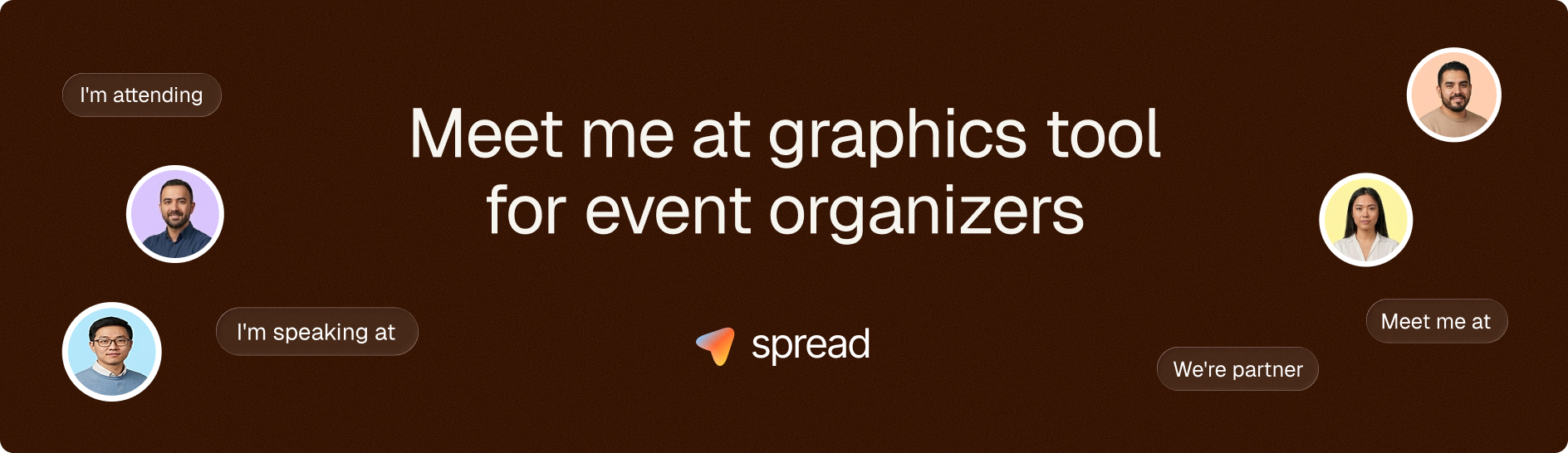
By week seven, the attendee share page should be live and its link should sit in your ticket confirmation email. In Go Spread that's one campaign page at go-spread.com/your-campaign: attendees upload a photo, get a branded Meet Me At graphic and post it to LinkedIn with a suggested caption. Every ticket you sell from here on can become a post.
Weeks 6 to 3: speakers, partners and sponsors
This is where reach grows, if you make posting easy. Send every speaker a ready graphic and a caption they can edit, reveal two or three per week, and give sponsors their own Partner graphics so they promote the event to their customers. Our guide on pre-event LinkedIn marketing has the posting cadence in more detail.
Weeks 2 to 0: countdown and the event week
The last two weeks belong to your attendees. Send the share link again about five days out, reshare the best posts, and keep your own page practical (agenda, venue, what to bring). Sprout Social's 2026 analysis of nearly 2 billion engagements found that Tuesday, Wednesday and Thursday offer the most consistent periods of peak engagement on LinkedIn, so put your biggest countdown posts mid-week.
Only have five weeks?
Then halve each phase and drop nothing. Announce in week five, put the share link in the confirmation email from day one, reveal speakers in weeks four and three, and spend the last two on the countdown. What you lose is time for word of mouth to build, so the asks have to come earlier and more directly, and it helps to email past attendees personally in the very first week rather than waiting for the announcement to do the work.
How to set an event marketing budget with your own numbers
Build the budget backward from the registrations you need and the cost per registration you can afford. The formula is simple:
Marketing budget = (target attendance ÷ your past show-up rate) × the cost per registration you can afford
The cost you can afford is a business decision, not a benchmark. Back to the hypothetical fintech summit: 500 registrations needed, an average ticket of €300, and you decide you're willing to spend up to 15% of ticket revenue on marketing. That's €45 per registration, so a ceiling of €22,500. Your margin and your sponsors might put that share at 5% or at 30%, and that's fine, as long as you decide it before you start spending.
Then split it across a handful of buckets. Paid social and search come first if you use them at all, with a hard weekly cap so a slow week doesn't quietly eat the budget. Design and content cover the speaker, partner and attendee graphics. Tools are usually the smallest line (email, landing page and a share page; Go Spread starts free, with event plans from €79 one-time). Partner and community promotion, like newsletter slots or meetup sponsorships, often punches above its cost for niche B2B audiences. And keep around a tenth of the total in reserve for whatever is working in week five.
After the event, compare what you spent per channel with the registrations each one brought in. Our guide to event marketing ROI walks through that calculation.
Event promotion checklist for the final two weeks
The last two weeks are where small things break, so run through a short checklist on the Monday of week two. Most of it takes minutes, and every missed item costs you posts or attendees.
- The share link is in the confirmation email and in the reminder sequence.
- Every speaker and sponsor has their graphic and a caption.
- UTM links work and land on the right registration page.
- The reminder emails for five days, two days and the morning of are scheduled.
- The photographer knows you need a fast selection by the next evening.
- The thank-you email and the "I was there" graphic are prepared before the event.
For caption ideas you can drop into those emails, our list of LinkedIn captions for events covers attendees, speakers and sponsors.
Who owns what in a small event team?
One person owns the plan, even if the team is three people. That person doesn't do everything; they check the numbers every Monday and move deadlines before they're missed. Other owners take channels: someone runs speaker outreach, someone handles sponsors and partners, someone writes the emails.
The Monday check should take fifteen minutes. Registrations against the weekly target, posts from speakers and attendees, and one decision about what to change. If you're behind in week five, that reserve in your budget is what it's for, and if you're well ahead, it's fine to spend less.
For a broader view of how promotion fits together, see our guide on how to market an event.
Copy this event marketing plan template for your next event
The fastest way to use this event marketing plan template is to fill in the goal and the show-up rate first, because those two numbers set the size of everything else. So today, open your last event's check-in data, calculate the show-up rate, and write down your registration target. Then paste the 10-week table into your project tool, and when you reach week seven, set up your attendee share page for free on Go Spread.