


A LinkedIn photo frame is a branded ring with a short text around someone's profile picture, like LinkedIn's own Open to Work frame. Events use custom versions so attendees, speakers and the whole organizing team show they're part of it. A frame keeps that signal visible for weeks. A post graphic puts the news in the feed. The best campaigns use both, built from one design.
Frames had their big moment during awareness campaigns and company milestones, when whole teams switched their pictures at once. For events they're still rare, and that is exactly why they stand out. Organizers often ask for a frame when what they really want is attendees telling their network they're coming. The two goals overlap, and the format you pick decides which one you get.
What is a LinkedIn photo frame?
A LinkedIn photo frame is an overlay on a profile picture. LinkedIn offers two of its own: the green #OpenToWork frame for people looking for a job and the purple #Hiring frame for people with an open role. Both come with fixed text and colours. Anything beyond that is a custom image: a person's photo with a branded ring, a ribbon of text or a logo badge baked into the picture before it's uploaded.
Since LinkedIn has no feature for custom overlays, a custom frame is really just a new profile picture. The attendee combines their photo with your frame, downloads the result and uploads it as their profile photo. Keep that in mind when planning. Every step in that chain is a place where people drop off, and nobody bothers if the whole thing takes more than a minute or two. That's why the tool you hand people matters as much as the design.
Can you customize the #OpenToWork or #Hiring frame?
Not inside LinkedIn. The built-in frames always show the same words in the same green or purple. What you can do is create a custom LinkedIn photo frame in the same ring shape with your own text, font and colours: "Speaker at SaaS Week", "We're hiring at Your Company" or a campaign hashtag. If someone already uses LinkedIn's frame, they should switch it off while they wear yours, since both sit on the lower edge of the photo.
Where the frame shows up
The framed picture appears wherever the person's photo appears: on their profile, next to their comments, in search results, in messages, in invitations and on every post they publish while the frame is on. Lots of small appearances, spread over weeks. What it won't do on its own is create a moment in anyone's feed that says "this person is going to your event."
LinkedIn profile picture frame vs post graphic: which helps your event more?
For most events, the post graphic wins on reach and the frame wins on persistence. This is how they compare in practice.
| Profile picture frame | Post graphic ("Meet me at") | |
|---|---|---|
| Where people see it | Small circle next to everything the person does | Full-size in the feed of their network |
| How long it lasts | As long as they keep the frame on | Mostly the first few days after posting |
| Space for event details | A few words at most | Event name, date, city, role, photo |
| Starts conversations | Sometimes, when people ask about it in comments | Often ("See you there!", "Which day?") |
| Effort for the attendee | Download, then change profile photo | Upload photo, post with a caption |
| Risk | People forget to remove it months later | Low, the post just ages out |
Reach is the big difference. A post graphic is personal news with room for detail, and personal news is what LinkedIn feeds run on. In our analyses of past partner campaigns, 100 attendee posts generated over 250,000 organic impressions. A changed profile picture comes with no impression stats of its own, so almost nobody measures it, but it travels with every comment and message for as long as it stays on. That quiet repetition is its strength.
When a LinkedIn photo frame makes the most sense
Frames have their place, and in some situations they're the better pick:
- Speakers, hosts and your own team in the final weeks before an event, as a visible marker next to every comment they write
- Company-wide moments, like a funding round, a product launch or a rebrand, where a whole team switching at once gets noticed
- Communities with a strong identity, such as alumni networks or a founder program, where the frame works as membership
- Awareness months, causes and pledges, where wearing the frame is itself the statement
- Hiring pushes, where a branded "We're hiring" frame replaces LinkedIn's generic #Hiring ring
For a typical B2B conference, we'd ask every attendee for a post and offer the frame to the people who want to go further: speakers, sponsors, staff and super fans. Outside of events, the frame turns into something else entirely. We call it LinkedIn profile photo frame marketing: a whole company wearing the same message on every profile, which works like an ad that runs for free wherever your team is active. We wrote about the team side in our guide to building an employee advocacy program.
How to create a LinkedIn photo frame for your event
You need a frame that is designed for a circle and a way for people to place their photo underneath it. Most frames go wrong in the design, mainly because they're drawn as squares and then displayed as circles.
Design for the circle, not the square
LinkedIn shows profile pictures as a circle, so anything in the corners of a square file disappears. Keep text and logos inside the circle, ideally in the lower arc where LinkedIn puts its own Open to Work label. Leave the centre clear for the face, and keep the ring thin enough that the person is still recognizable at the tiny size used next to comments. Cover a third of someone's face and they'll swap the frame out within a day.
Short text only. "Speaker at FinTech Week" fits. "Join me at FinTech Week 2026 in Frankfurt on May 12 and 13" doesn't, and if you need the date and city, that's a sign the post graphic should carry the message while the frame plays a supporting role. Contrast matters more than usual at this size, so test the frame against very light and very dark photos before you send it out. For the other LinkedIn formats, our LinkedIn banner size guide lists the exact image dimensions.
Use a LinkedIn photo frame generator
Asking attendees to combine two images in a design app won't work at scale. A LinkedIn photo frame generator does it for them: they open a link, add a photo, adjust it and download the framed result, then upload it to LinkedIn themselves. When you compare generators, these are the things that matter most:
- Works in a phone browser, since many people open the link from an email on mobile
- No account or app needed for the attendee
- Move and zoom, so faces end up centred in the circle
- A preview at LinkedIn's real sizes: profile, feed and comment
- Short instructions for the final upload step on LinkedIn
- Your own branding on the page, not the tool's
The upload to LinkedIn is the one step no tool can automate, because LinkedIn doesn't let other apps change a profile photo. So spell it out. And suggest a date to remove the frame, such as the Monday after the event. People like being told, and you avoid framed photos hanging around a year later.
Setting up a frame campaign on Go Spread
This is how the profile frame works in Go Spread, step by step:
- Click New Campaign in your dashboard. In Step 1, scroll down to the LinkedIn profile frame box and click Set up.
- Type the text for the ring (up to 28 characters), then pick a font, a text size and the colours. Your brand colours come first, and the text colour picks white or black for good contrast unless you set your own.
- Check the preview at LinkedIn's sizes, publish and share the link with your attendees or your team.
- Everyone adds a photo or starts from their current LinkedIn photo, moves and zooms it, and downloads a round PNG with the frame. The campaign page shows how to set it as the LinkedIn profile picture.
You can change the text or colours later from the campaign's Graphics tab, and the link shows the new frame right away.
Looking for a Twibbon alternative?
If you've used Twibbon for frame campaigns before, you'll need something else now. Twibbon's own site states that its service was discontinued as of 31 July 2024. For years it was the name most people associated with frame campaigns, which is why so many organizers still search for it.
Twibbonize is a separate service that's still running and describes itself as "the visual campaign platform": you create a campaign, share one link, and supporters add their photo. It's built for broad frame campaigns across many social networks, which suits cause and community campaigns where the audience is spread out.
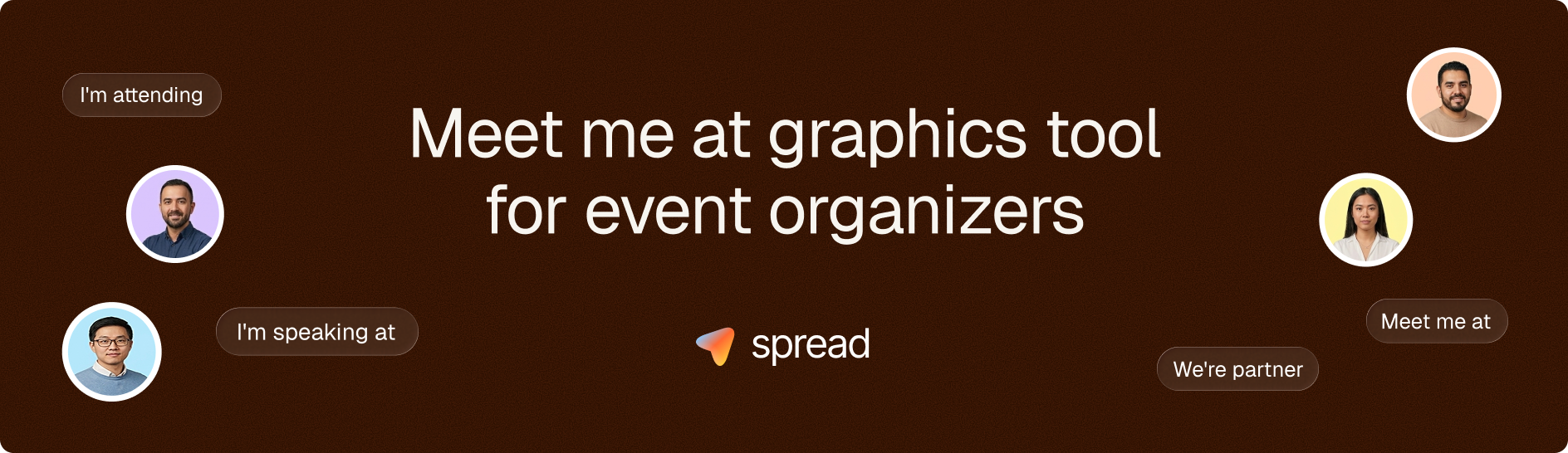
Go Spread is built around LinkedIn. It makes LinkedIn post graphics for events (Meet Me At, Speaker, Partner and Visit Us visuals with suggested captions) and, as a separate campaign type, LinkedIn profile photo frames with your text, font and colours. That fits organizers and companies whose main goal is visibility on LinkedIn.
Using a frame and a post graphic together
The strongest setup puts one visual identity in two places. The post graphic carries the full message and lands in the feed, while the frame keeps a small reminder visible on every comment the attendee writes in the run-up to the event. Same colours. Same logo. Same short headline.
Timing is simple. Send the post graphic link with the registration confirmation, when people are most excited about their ticket. A week or two before the event, offer the frame in a reminder email aimed at speakers, hosts, sponsors and your most active community members. After the event, a short "you can switch your photo back now" note doubles as a thank-you. If you're planning the whole sequence, our 4-wave plan for event social media campaigns shows where each piece fits.
Make your LinkedIn photo frame and post graphic from the same design
Before your next event, sketch one visual identity: a colour, a logo placement and a short headline like "Speaker" or "I'm attending." Build the post graphic first, since it does the heavy lifting for reach, and put its link in your confirmation email. There's more on the post format in our Meet Me At graphics guide and in our ideas for digital attendee badges people actually post.
Then turn the same elements into a circle-safe frame for the people closest to your event. You can create your LinkedIn photo frame with Go Spread for free and share it with your team, your speakers or your whole community in a few minutes.