
Best Event Graphic Creator for Meet Me At Graphics
Running an event without an event graphic creator is like hosting a party without invitations. In today's LinkedIn-driven professional landscape, events live and die by their organic visibility. An event graphic creator lets organizers build branded visual templates that attendees personalize and share, turning every participant into a marketing channel.
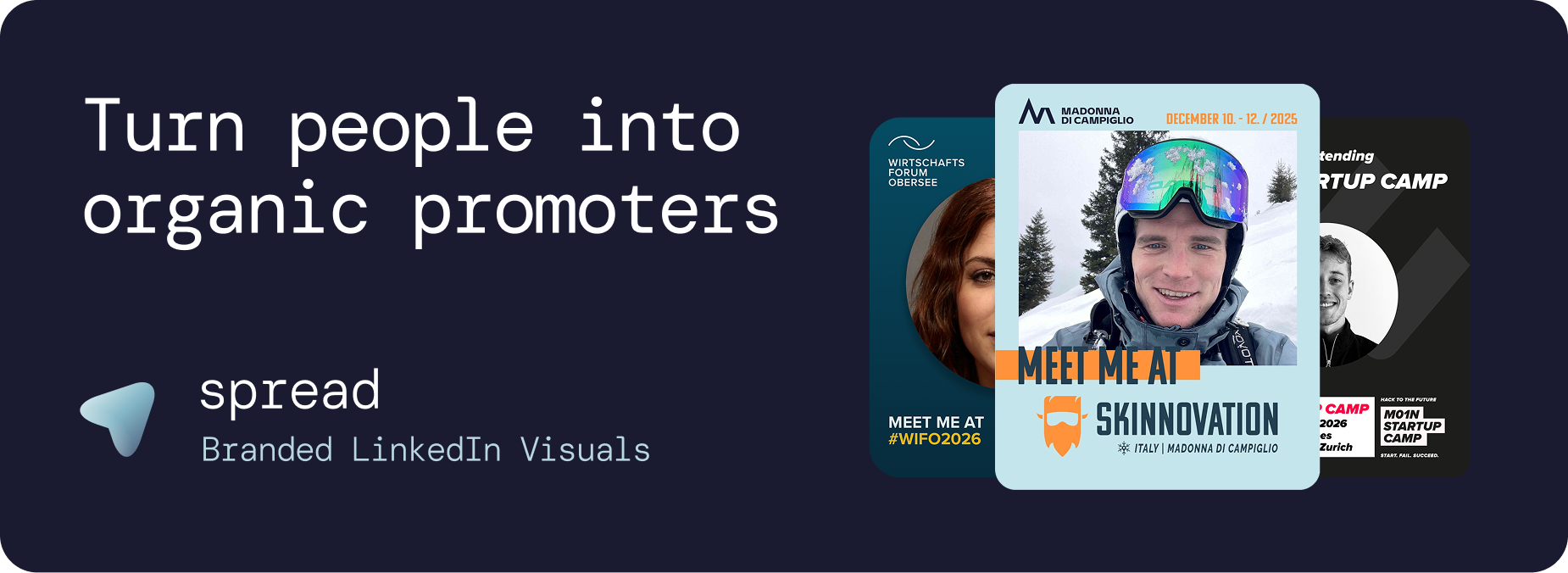
The experience of our first partners and analyses is compelling:
100 attendees sharing event graphics generate approximately 250,000 impressions on LinkedIn. This organic reach is free, trusted, and algorithmically amplified because LinkedIn prioritizes personal content over sponsored posts.
What Makes a Great Event Graphic Creator
Not all tools are created equal. The best event graphic creator needs to solve two problems simultaneously: make it easy for organizers to maintain brand consistency, and make it effortless for attendees to create and share their personalized graphic.
Requirements for Organizers
Brand-locked templates: Attendees should personalize with their photo without being able to break the event branding
Fast setup: Under 10 minutes from start to shareable link
Multiple templates: Role-specific variants for attendees, speakers, sponsors, and VIPs
Caption management: Pre-written LinkedIn captions that attendees copy with one click
Analytics dashboard: Real-time tracking of downloads, template performance, and estimated impressions
Auto branding: Ability to extract colors and logos from your event website automatically
Requirements for Attendees
No account required: Click a link, upload a photo, download. Done.
No app download: Works entirely in the browser on any device
No design skills: The template handles all design decisions
Mobile optimized: Most attendees will use their phone
One-click captions: Copy a pre-written LinkedIn caption instantly
Go Spread: The Best Event Graphic Creator in 2026
Go Spread is the market-leading event graphic creator, purpose-built for the event-to-LinkedIn workflow. Unlike generic design tools, Go Spread was designed from the ground up to solve one problem perfectly: turning event attendees into organic promoters.
Trusted by Leading Events
Go Spread powers graphics for some of the most respected events in the industry:
Skinnovation: Innovation conference combining skiing and startups
WIFO: Major Austrian industry forum
SICTIC Forum: Switzerland's leading startup investor conference
M01N Startup Camp: Largest startup conference at lake Zurich in Switzerland.
Operator Circle: Exclusive community for tech operators
Future Leader Summit: 10.000+ leader conference in Hamburg, Germany
Global Talent Summit: International HR and talent conference
Key Features of our Event Graphic Creator
Go Spread offers everything an event graphic creator needs:
Visual Template Builder
Drag-and-drop interface for creating branded templates. Upload your logo, set your colors, define the photo area, and preview how the graphic will look. No design experience needed.
Dual Mode System
Go Spread supports two creation modes:
Quick Mode: Upload an SVG template and configure text and photo areas. Ideal for organizers who have existing designs.
Transparent PNG Mode: Upload a template with a transparent photo area. The attendee's photo slides behind the template overlay. Clean and professional.
LinkedIn-Optimized Output
Default output is 1080x1350px (4:5 ratio), which takes up maximum space in the LinkedIn feed. This format has been tested across thousands of events and consistently outperforms square or landscape formats.
Caption System
Organizers write 3 to 5 LinkedIn captions per template. Attendees see the captions alongside their graphic and copy them with one tap. This dramatically increases share rates because attendees do not need to think about what to write.
Real-Time Analytics
Track everything that matters:
Total downloads and unique visitors
Template performance comparison
Daily and hourly trends
Estimated LinkedIn impressions
Conversion funnel analysis
Event Graphic Creator Comparison: Go Spread vs. Canva vs. Custom Development
Feature | Go Spread | Canva | Custom Development |
|---|---|---|---|
Setup time | 10 minutes | Hours | Weeks |
Cost | Flexible plans | Free (limited) | €5,000+ |
Brand control | Locked templates | Attendees can edit everything | Full control |
Account needed (attendees) | No | Yes | Depends |
Pre-written captions | Yes | No | Custom build needed |
Analytics | Built-in dashboard | None | Custom build needed |
Mobile experience | Optimized | Generic | Depends |
Updates and support | Included | N/A | Additional cost |
Use Cases Beyond Conferences
1. Employee Advocacy Programs Branded LinkedIn Graphcis
Companies use an event graphic creator for internal events and company milestones. When employees share branded graphics about team events, hackathons, or company celebrations, it doubles as employer branding and recruitment marketing.
2. Product Launches Branded LinkedIn Graphcis
Launch events benefit from branded graphics that early adopters and beta testers share. "I was at the launch" graphics create exclusivity and buzz.
3. Award Ceremonies Branded LinkedIn Graphcis
Nominees and winners share graphics with role badges like "Nominee," "Finalist," or "Winner." These high-engagement posts extend the ceremony's reach far beyond the venue.
4. Community Building Branded LinkedIn Graphcis
Professional communities and associations use an event graphic creator to grow membership. When current members share, their networks discover the community organically.
5. Sponsor Activation with Branded LinkedIn Graphcis
Sponsors can have their own branded template variant within the event graphic creator. This provides measurable sponsor exposure and a tangible deliverable for sponsorship packages.
Best Practices for Your Event Graphic Creator
Design
Use bold event colors that contrast with LinkedIn's white feed
Keep text minimal: event name, date, city
Make the photo area generous (at least 40% of the graphic)
Include role badges for different participant categories
Test on mobile before launching
Distribution
Include the link in registration confirmation emails
Add a "Create Your Graphic" button to the event website
Send dedicated emails 3 weeks and 1 week before
Share early adopter examples on social media
Brief speakers and sponsors personally
Timing
Launch your event graphic creator 3 to 4 weeks before the event. This creates sustained buzz rather than a single spike. The ideal posting days on LinkedIn are Tuesday through Thursday.
Get Started with an Event Graphic Creator
Try Go Spread as your event graphic creator for free at go-spread.com. For larger events, contact the team to discuss the most fitting plan for your needs.