
The Untapped Power of Attendee Graphics for Events
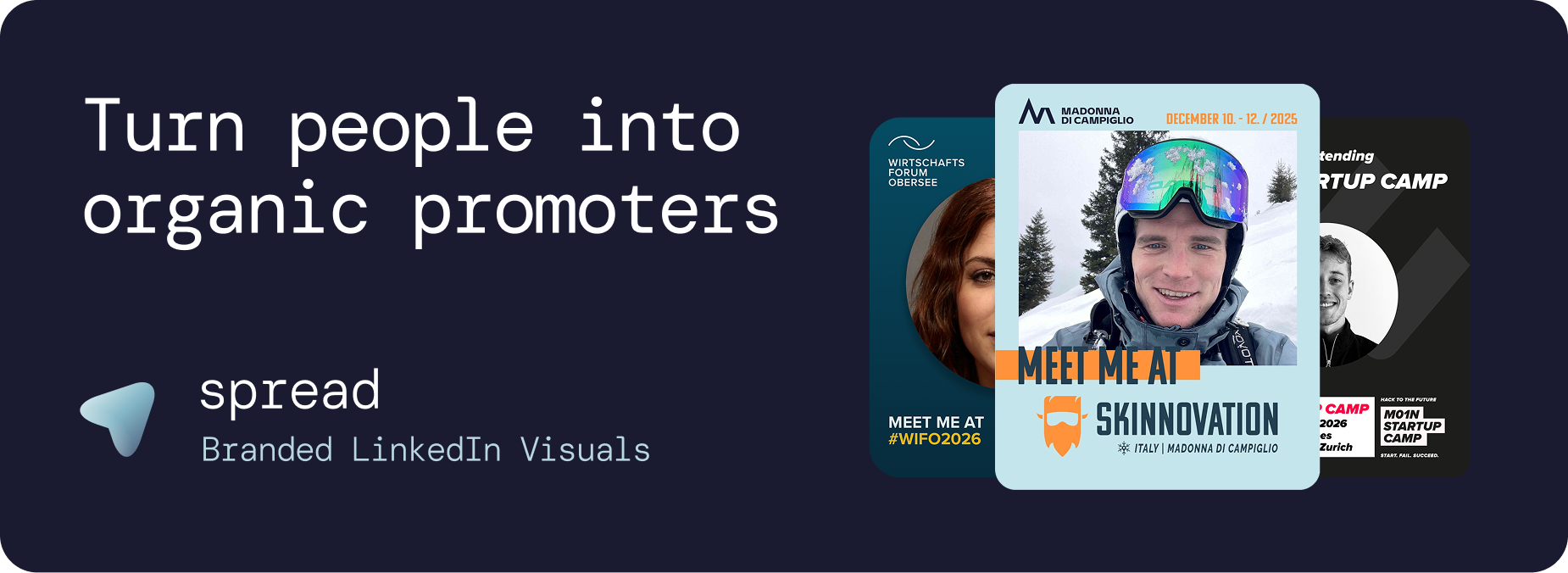
Your attendees are your most underutilized marketing asset. Every person who registers for your event has a professional network that your brand page cannot reach organically. Attendee graphics unlock this hidden channel by turning each participant into an organic promoter on LinkedIn.
The concept is simple but powerful: create branded visual templates that attendees personalize with their professional photo and share on LinkedIn.
When done right, 100 attendees sharing attendee graphics generate approximately 250,000 impressions on LinkedIn, all at zero advertising cost.
This is what we saw at our internal insight analysis of the first 15 Go Spread partners.
Why Attendee Graphics Outperform Every Other Event Marketing Channel
Event marketers spend thousands on LinkedIn ads, email campaigns, and social media management. Attendee graphics consistently outperform all of these channels for three reasons:
1. Trust and Social Proof
When a professional shares an attendee graphic, their network sees a personal endorsement from someone they know and trust. This carries infinitely more weight than a sponsored post from an event's company page. Social proof drives registrations more effectively than any paid campaign.
2. Algorithmic Advantage
LinkedIn's algorithm prioritizes personal content over branded content. Posts from individuals receive 3 to 5 times more organic distribution than posts from company pages. Attendee graphics are personal content, giving them a massive algorithmic boost.
3. Network Diversity
Each attendee reaches a unique professional network. While your company page reaches the same followers repeatedly, 200 attendees reach 200 distinct networks, creating exponential visibility that no single channel can match.
How Go Spread Powers Attendee Graphics for Events at Scale
Go Spread is the market-leading platform for attendee graphics, trusted by top conferences including Skinnovation, WIFO, SICTIC Forum, Entra, the Operator Circle, ChefTreff, and Global Talent Summit.
The Organizer Workflow for Attendee Graphics
Setting up attendee graphics takes under 10 minutes:
Upload your event branding: Logo, colors, and fonts. Go Spread can auto-extract branding from your event website URL.
Design templates: Use the visual builder to create LinkedIn-optimized attendee graphics (1080x1350px). Create variants for different attendee categories.
Write captions: Add 3 to 5 pre-written LinkedIn captions with networking hooks and relevant hashtags.
Share the link: One URL goes into confirmation emails, event websites, and pre-event communications.
The Attendee Experience
Go Spread is built for maximum adoption. Attendees experience a frictionless workflow:
Click the shared link (works on any device)
No account creation or app download required
Upload a professional photo (drag and drop or camera)
Choose from available attendee graphic templates
Copy a pre-written caption with one click
Download and share on LinkedIn in seconds
This zero-friction experience is why Go Spread achieves significantly higher share rates than events using generic design tools like Canva.
Attendee Graphics for Different Event Types
1. Large Conferences (500+ Attendees)
The sweet spot for attendee graphics. With hundreds of participants sharing, the organic reach can exceed millions of impressions. Large conferences should create 3 to 4 template variants (attendee, speaker, sponsor, VIP) to give participants personalized options that make them more likely to share.
2. Corporate Events and Town Halls
Companies use attendee graphics for internal events, annual meetings, and team summits. When employees share these on LinkedIn, it functions as powerful employer branding. Potential candidates see an engaged, vibrant company culture, making it a recruitment marketing tool.
3. Startup and Tech Meetups
Community-driven events benefit enormously from attendee graphics. When 50 startup founders each share a branded graphic, the concentrated reach within the startup ecosystem can attract investors, partners, and future attendees.
4. Trade Shows and Expos
Both exhibitors and visitors use attendee graphics to announce their presence and invite meetings. This pre-event networking creates warmer leads and more productive conversations on the exhibition floor.
5. Award Ceremonies and Galas
Nominees, winners, and attendees at award events love sharing their participation. Attendee graphics with "Nominee" or "Winner" badges create shareable moments that extend the event's prestige across LinkedIn.
5. Workshops and Masterclasses
Even intimate events with 20 to 50 participants benefit. The focused reach within a specific professional niche is often more valuable than broad campaigns. Attendees signal expertise and continuous learning by sharing their attendee graphics.
Attendee Graphics vs. Canva: Why Purpose-Built Tools Win
Some organizers try to use Canva for attendee graphics. Here is why that approach fails at scale:
Factor | Go Spread | Canva |
|---|---|---|
Account required | No | Yes (each attendee needs one) |
Brand consistency | Templates are locked | Attendees can break branding |
Pre-written captions | Built-in, one-click copy | Not available |
Analytics | Real-time dashboard | None |
Setup time | Under 10 minutes | Hours of instruction |
Mobile experience | Optimized | Generic |
Role badges | Attendee, Speaker, VIP, etc. | Manual editing |
Design Best Practices for Attendee Graphics
Layout
Use 1080x1350px (4:5 ratio) for maximum LinkedIn feed visibility
Allocate at least 40% of the graphic to the attendee's photo
Place the event logo prominently but not overwhelming
Include event name, date, and city
Color and Typography
Use bold event colors that stand out in the LinkedIn feed
Keep text minimal: less is more when the photo is the hero
Ensure sufficient contrast between text and background
Role Badges
Adding role badges (Attendee, Speaker, Mentor, Sponsor, VIP) increases share rates because participants feel personally recognized. Go Spread supports multiple template variants per event, making this effortless.
Maximizing Attendee Graphics Share Rates
Distribution Strategy
Confirmation email: Include the attendee graphic link immediately after registration
Event website: Add a prominent "Create Your Graphic" button
Pre-event emails: Send dedicated emails 3 weeks and 1 week before
Social media: Share examples from early adopters to create FOMO
Speaker outreach: Contact speakers directly. Their larger networks amplify reach
Timing
Launch attendee graphics 3 to 4 weeks before the event. This creates sustained buzz rather than a single spike. Send reminder emails to non-downloaders 1 week before the event.
Measuring Attendee Graphics ROI with Go Spread Analytics
Go Spread provides comprehensive analytics that make it easy to prove value:
Download volume: Total attendee graphics created
Template performance: Which designs resonate most
Daily trends: When engagement peaks
Conversion funnel: Page visitors vs. photo uploaders vs. downloaders
Estimated impressions: Projected LinkedIn reach
This data is invaluable for sponsor reports, management presentations, and planning future events.
Get Started with Attendee Graphics
Go Spread offers a free tier for smaller events and flexible plans for larger conferences. Set up your first attendee graphics in under 10 minutes at go-spread.com.
For custom pricing that fits your branding strategy, contact the Go Spread team. They will find the most transparent, fitting solution for your event.